Home > User Interface > Model Browser > Types > Drag/Lift Database
This section describes the functioning of two kinds of database types, Drag/lift types and Foil profile types.
Drag/Lift Database
Drag/Lift
General
When standard hydrodynamic coefficients on Lines do not seem sufficient to describe complicated hydrodynamic loads, it is possible for the user to take it into account by means of a more advanced model of hydrodynamic loading. The principle is to define a database of loadings (drag, lift and moment) to be applied (aka 'lookup table') based on a certain variable.
Four options can be selected:
-
Drag coefficient as a function of Reynolds number,
-
Drag coefficient as a function of depth,
-
Drag coefficient as a function of line abscissa,
-
Complex hydrodynamic coefficients, as a function of both direction and line abscissa.
File: a file path can be proposed, allowing the preparation of lookup tables in Excel for instance. If the external file option is chosen, the edit button is grayed out, since you cannot both enter the data and use an external file.
Manually: Otherwise a new text-based file will be created by the interface after you type the data into the GUI manually. This file is generated in the current directory where the DSK file is stored when the LOG files are created by the GUI.
For each function,selected, the required number of increments (data pairs) is selected and the user types the pairs of variables into the table.
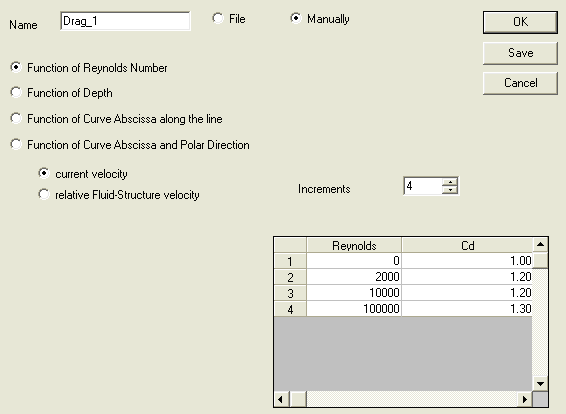
Function of Reynolds Number
The user enters the Drag coefficient and the corresponding Reynolds Number. The considered velocity used in the Reynolds number formulation can be either the current velocity or the relative fluid-structure velocity.
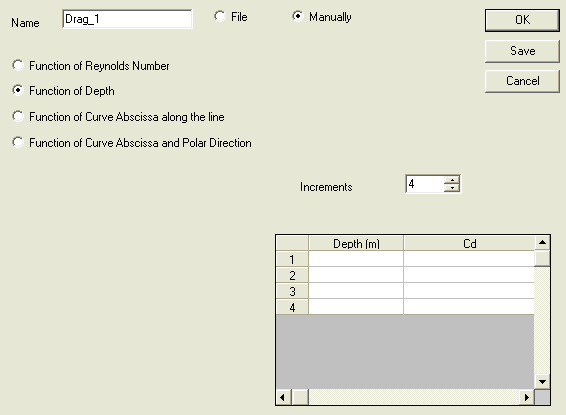
Function of Depth
The user enters the Drag coefficient and the corresponding depth.
Warning
Depths must be given in descending order.
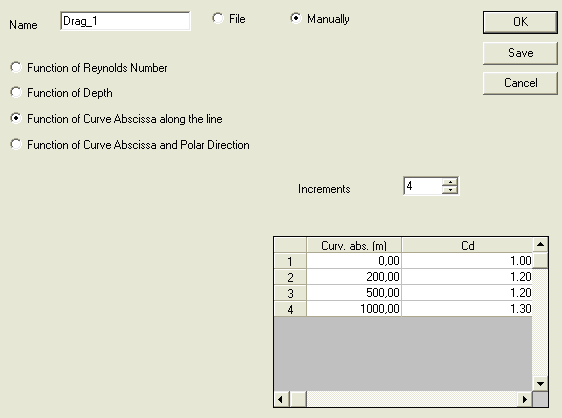
Function of Curve Abscissa along the line
The user gives the Drag coefficient as a function of the curve abscissa.
Function of Curve Abscissa and Polar Direction:
The objective of this option is to be able to enter all the necessary hydrodynamic data for long slender shapes with non-cylindrical section, allowing the simple beam-element Line to be representative of a complex shape. Six types of data can be entered in accordance with the 6 degrees of freedom needing to completely define the forces on a submerged object:
-
Drag coefficient Cd function of direction and abscissa,
-
Lift coefficient Cl function of direction and abscissa,
-
Moment coefficient Cmz function of direction and abscissa,
-
Added mass coefficient function of direction and abscissa,
-
Added mass in rotation function of abscissa,
-
Hydrodynamic damping in rotation function of abscissa.
The requirement to enter any or all 6 of these items using the same table, and to define origins (reference angle) in the local reference frame of the Line demands that care is exercised by the user, but this option provides very powerful modelling capabilities.
The generation and validation of the data to be used in the tables is the responsibility of the user, and it is cautioned that this module does not include any logic checks for physics, thus caution should be exercised in selection and application of these tables.

This option is the most complex. It is important to note that the first four quantities (Cd, Cl, Cmz, added mass) are functions of both direction and abscissa while the last two (Added mass in rotation, Damping in rotation) are functions of abscissa only.
Foil profiles
General
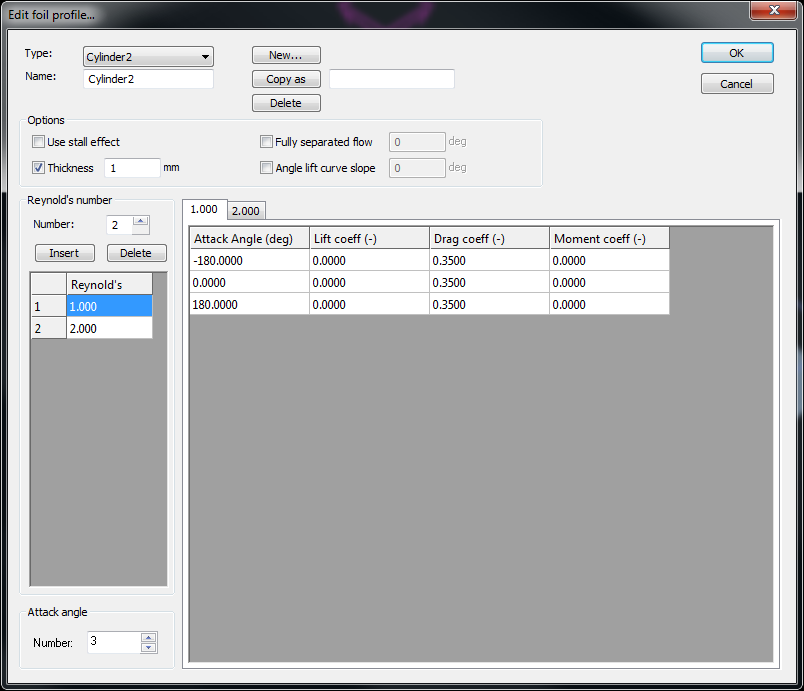
The foil profiles defined here are used in the HAWT's blade panel.
Four options can be selected by clicking on the corresponding checkbox:
-
Use stall
-
Thickness (default = 1mm)
-
Angle of attack (deg) at which the flow is fully separated
-
Slope value (deg) used for lift curve in Oye and Risoe dynamic stall
The number of Reynold's number can be incremented or decremented by clicking on the corresponding spinbox or by directly changing the edit box value.
For each new Reynold's number created, a tab with the new Reynold's number value as title will be added to the dialog box.
For each tab, and thus for each Reynold's number, the number of attack angles can be incremented or decremented by clicking on the corresponding spinbox or by directly changing the edit box value.
For each new attack angle created a new line with 4 data fields will be created in each Reynold's number tab.
These 4 fields are:
-
The attack angle value (deg)
-
The lift coefficient
-
The drag coefficient
-
The pitching moment coefficient
Note
When a default HAWT is created, the associated default foil profiles are automatically created
